Continuously review planning risks
Dates and effort estimates that are still uncertain are included in the feasibility assessment. Risk assessment therefore reflects the current state of your planning knowledge.


RISK MANAGEMENT
Focus on what needs your attention.
Can Do examines the shared planning of your projects for risks involving resources, schedules and budgets. Colour-coded risk indicators and specific AI recommendations show which developments you should monitor, review or address directly. This helps you act before bottlenecks put other projects or important deadlines at risk.
Risk Management
Illustrative diagram · Can Do
WHY CAN DO
Dates and effort estimates that are still uncertain are included in the feasibility assessment. Risk assessment therefore reflects the current state of your planning knowledge.
The patented Watermodel® algorithm checks whether parallel tasks can be completed within the time available. Overlapping dates alone do not necessarily mean a resource is overloaded.
When work takes longer or someone becomes unavailable, the shared plan changes. Can Do recalculates the impact and highlights the affected projects and resources.
DISTINGUISH DIFFERENT RISKS
Can Do considers different types of risk in a shared context. You can still see whether a risk was identified from the plan or recorded by the people responsible.
Watermodel® checks whether parallel tasks are feasible with the capacity available. This distinguishes meaningful overloads from overlaps in the calculations alone.
Can Do also examines scheduling logic, dependencies between projects and financial planning risks. Changes are included when risks are reassessed.
The people responsible can define additional risks manually. The risk matrix displays them alongside the risks identified by Can Do.
ASSESS RESOURCE CONFLICTS
Watermodel® first checks whether parallel tasks are feasible. AI then assesses the resource conflict and turns numerous calculated warnings into a clear recommendation.
The calculations indicate an overload, but the assessment shows that no action is needed.
The plan is currently feasible, but a problem could develop.
The conflict is intensifying, but it may still resolve as work progresses.
The plan is not feasible as it stands. The people responsible should agree on appropriate action.
Project success is at immediate risk and requires prompt corrective action.
The recommendation directs attention to relevant resource conflicts. The people responsible decide which action to take.
LOCATE BOTTLENECKS
Visual overviews show where capacity bottlenecks are concentrated, whether in individual resources, particular skills or entire departments. From the overview, you can go directly to the affected plan.
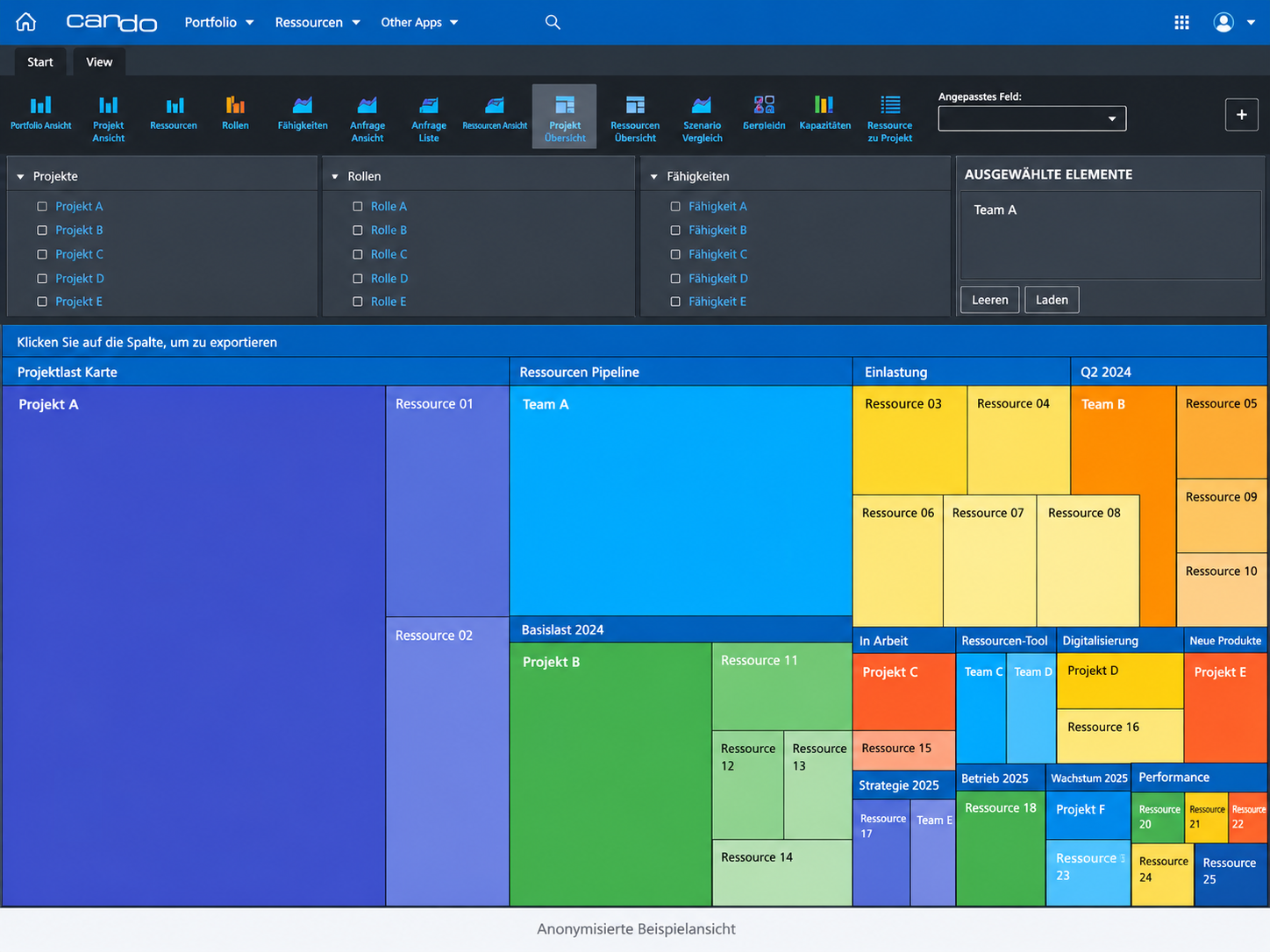
View projects, teams and resources by their utilisation and their share of the overall plan.
Illustrative view with neutral sample data. German interface.
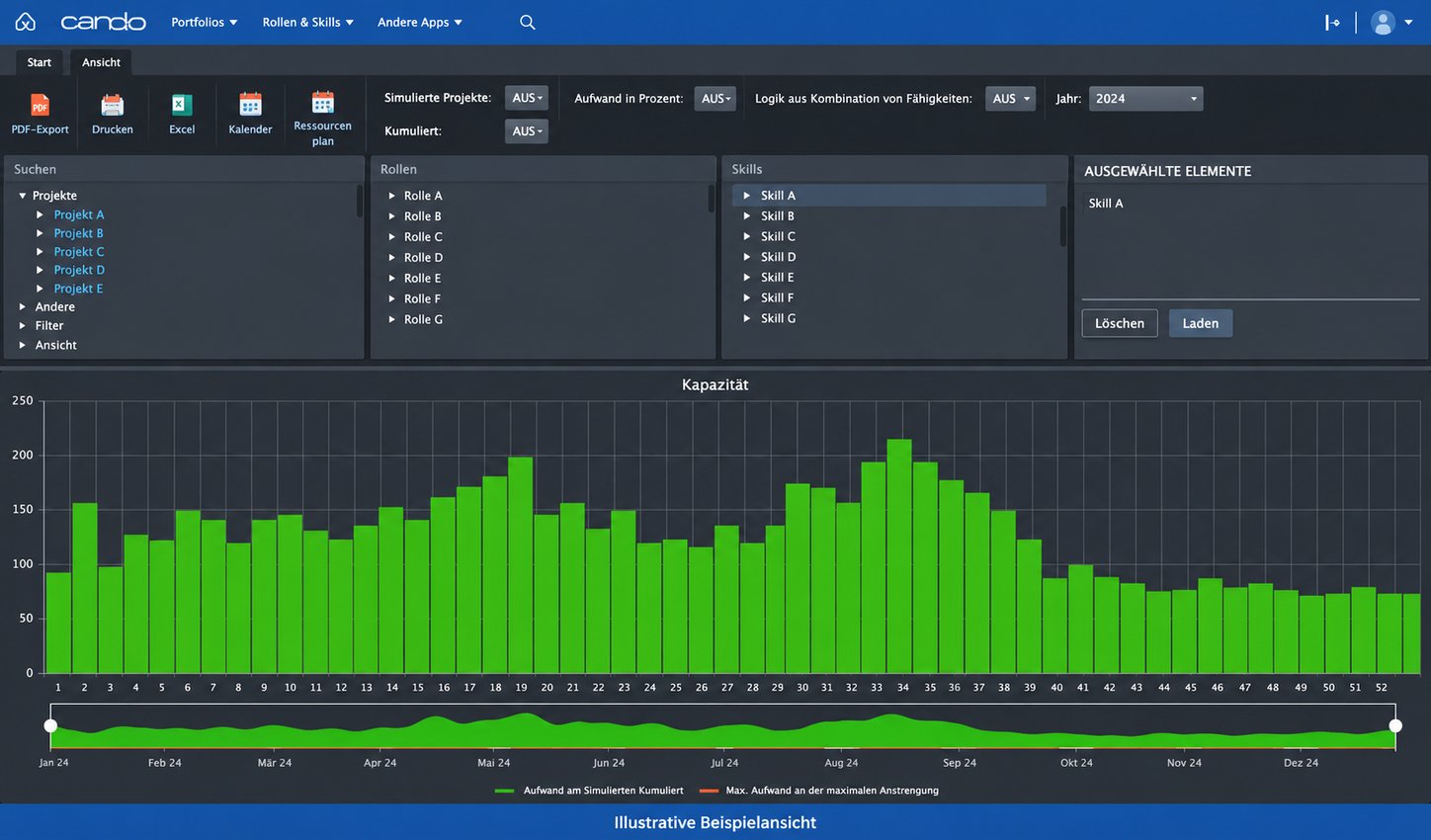
Compare available and planned capacity for a selected skill over time.
Illustrative view with neutral sample data. German interface.
MANAGE PROACTIVELY
Can Do analyses the shared planning of ongoing and planned projects. Risks, deviations and their effects become visible early, so the people responsible can assess scenarios and make timely decisions.
AI IN CAN DO
AI provides proactive support: it analyses planning data, assesses identified risks by urgency and potential impact, and recommends specific actions. An overload just before an important milestone may be more urgent than a small bottleneck several months away. This helps the people responsible focus on the issues they need to address.
SEE THE CONNECTIONS
Which projects are coming up?
Consider ongoing projects and new initiatives together.Which deadlines depend on one another?
Identify the knock-on effects of delays.What can the teams realistically deliver?
Take availability and required skills into account.Review the impact together, agree priorities and select appropriate actions.
YOUR QUESTIONS ANSWERED
Can Do examines the shared plan for risks involving resources, schedules, dependencies and budgets. The people responsible can record additional risks manually and review them alongside automatically identified risks.
No. Watermodel® first checks whether parallel tasks are feasible within the specified timeframes. AI then assesses the need for action on resource conflicts.
No. AI helps assess identified risks and recommends actions. The people responsible decide which actions are taken.
See in a personalised demo how Can Do identifies bottlenecks, simulates new initiatives and supports your assessment of risks.